

A Repeek alternative for FACEIT: why switch to GRIND
GRIND · THE MOST CUSTOMIZABLE EXTENSION FOR FACEIT IN CS2
ENTER YOUR FACEIT NICKNAME.
DISCOVER YOUR ROLE.
Enter a nickname — see your role, five skill rings and form over 30 matches.
Example result: donk666



ROLES AND SKILL RINGS IN THE FACEIT MATCH ROOM
Want to see other players' roles right in the match room?
Looking for a Repeek alternative that shows you more before a match? FACEIT GRIND has familiar auto-accept and recent-match stats, alongside player roles, current form, smurf signals and team comparisons by map. It all appears right on FACEIT: you can review the lobby before the first round and decide what deserves your attention.
Repeek is a well-known FACEIT extension formerly called FACEIT Enhancer. Its developer lists stats for the last 30 matches, ELO progress, automatic acceptance of matches and invites, veto automation and copying server details. Those basic tasks alone are no reason to switch extensions. The reason to try GRIND is the additional player and map analysis.
What you get in GRIND
A role and five skills for every player. CARRY, AWPER, ENTRY and other roles help you understand where a player stands out. Alongside them are Firepower, Opening, Sniping, Clutching and Utility. Two opponents with the same ELO can affect a match differently: one opens rounds more often, another is strong with the AWP. This is an assessment based on stats, not a promise of how someone will play today.

Form compared with their usual performance. Career K/D averages out good and bad periods. GRIND compares recent matches with a player's usual numbers and shows winning and losing streaks. Hover over the indicator to see which numbers have changed.

Smurf and boosting signals with reasons. GRIND flags unusual combinations of match count, ELO growth and performance stats. A score from 0 to 100 helps you spot an account worth a closer look. You can expand the reasons. It is a statistical signal, not proof of a violation.
A comparison of two players. Choose players in the lobby and compare ELO, K/D, ADR, win rate and other stats across all matches or a specific map. For example, before the veto you can compare a strong teammate with the opponents' top player on a map you plan to leave in the pool.
Team analysis by map. When you are the captain, the radar shows the whole pool and an estimated win chance on every map. Open the detailed stats to see where the lineup has stronger results. The win chance helps you compare options, but does not guarantee a win.

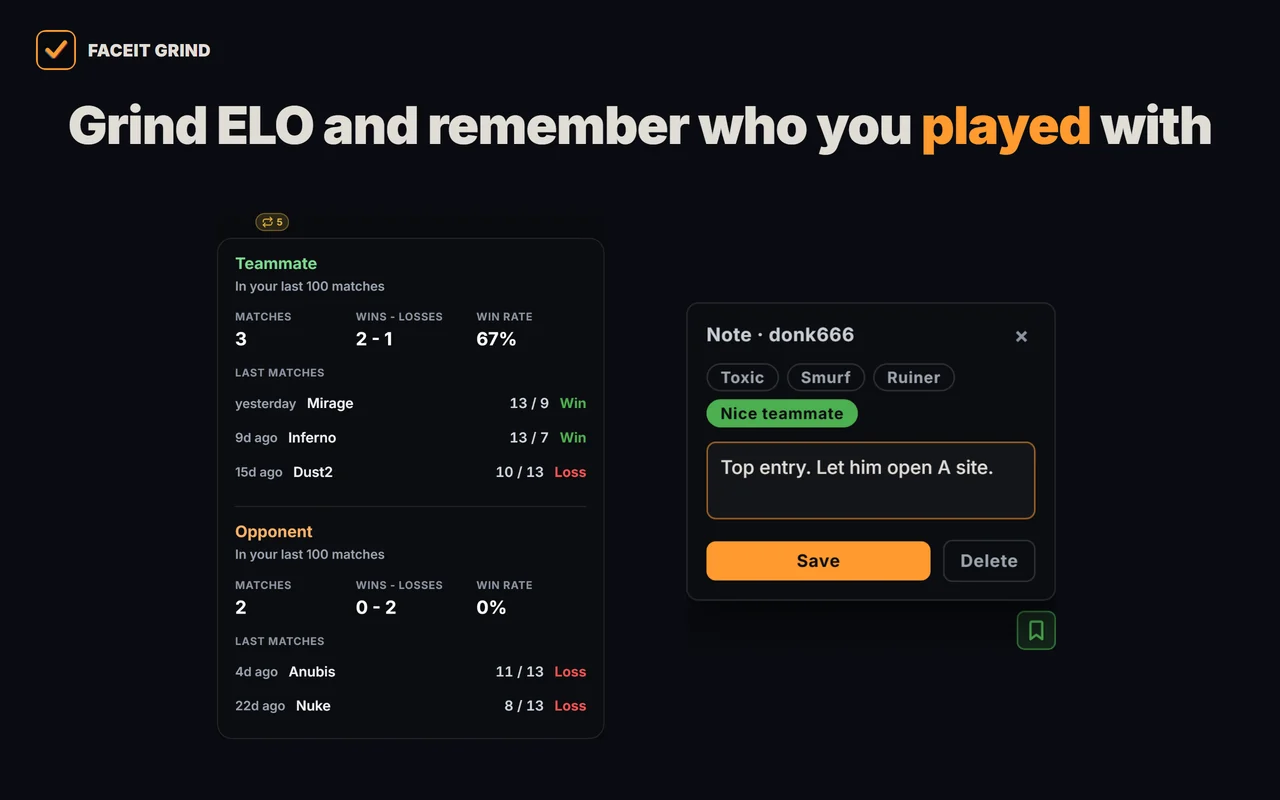
Notes and previous encounters. Leave a private note and a tag on a player. You will see your note the next time you meet in a lobby. “Played together” shows encounters from your last 100 matches: on the same team or against each other, with maps and scores. Notes stay on your device and are visible only to you.
What stays familiar
| Task | How it works in GRIND |
|---|---|
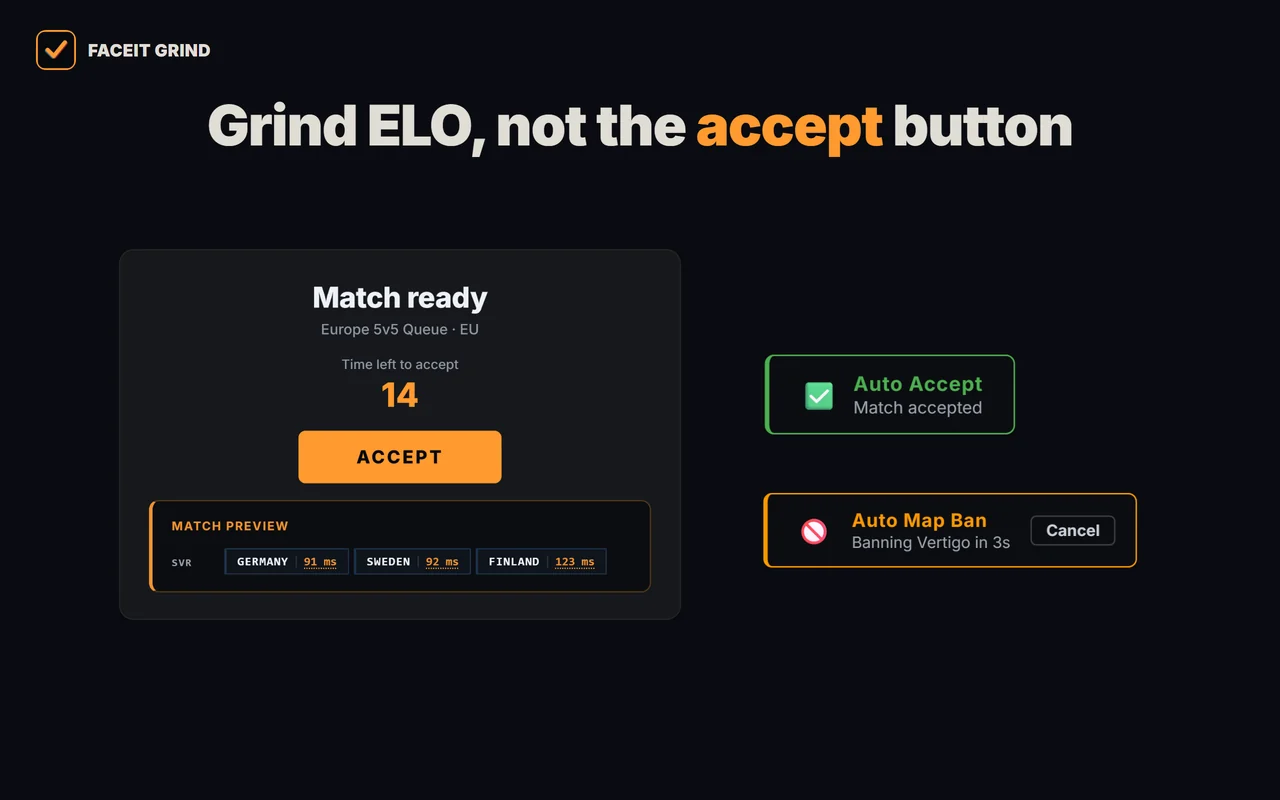
| Accept a found match | Auto-accept with an adjustable delay and cancellation of the current action |
| Accept a party invite | A separate setting for automatic invite acceptance |
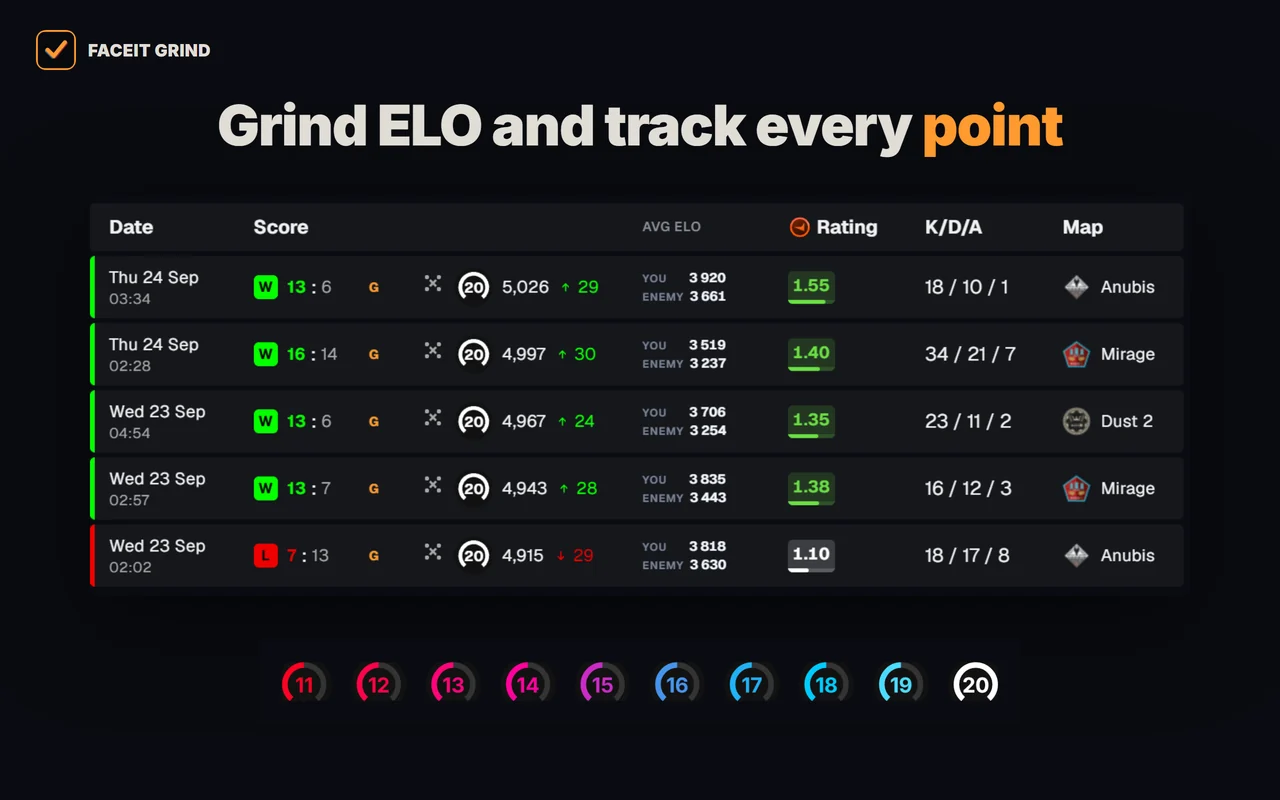
| Check recent matches | Win rate, average kills per match, K/D and ADR on the card |
| Remove a map you dislike | A captain's auto-ban order, countdown and cancellation |
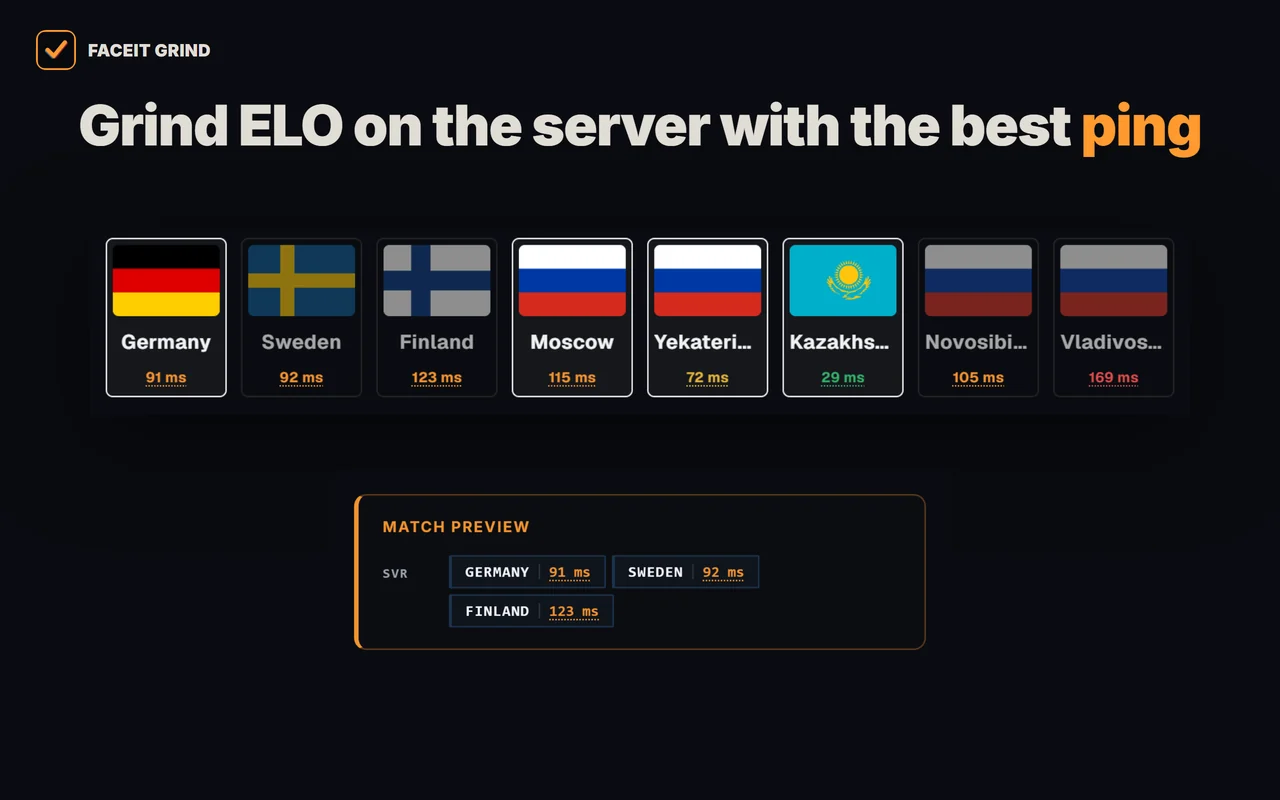
| Copy the connection command | The command goes to the clipboard when the server is ready |
Repeek also has automation. Choose GRIND based on how useful player and map analysis is to you, rather than just the presence of auto-ready.
How to switch from Repeek to GRIND
- Install GRINDInstall FACEIT GRIND using your browser's button on the official website.
- Temporarily disable RepeekIf Repeek is already enabled, temporarily disable it on your browser's extensions page. This makes it easier to see which elements GRIND adds and check the actions you need one by one.
- Review a matchroomOpen FACEIT and enter a matchroom. Look at the player cards, form and map comparison.
- Set up auto actionsEnable the auto actions you want in GRIND's settings. Match acceptance and invite acceptance have separate settings.
Repeek settings do not transfer to GRIND automatically. Separate installation guides are available for Yandex Browser and Opera / Opera GX.
Want more information before your next match? Install FACEIT GRIND and review the players in your lobby.



Frequently asked questions
Is GRIND another name for Repeek?
No. Repeek used to be called FACEIT Enhancer. FACEIT GRIND is a separate project with its own interface and features.
Can I replace Repeek with just GRIND?
If you need auto-accept, recent-match stats, auto map-ban and copying the connection command, GRIND handles those tasks. You also get roles, form, smurf signals, player comparisons and map analysis. Before switching, check the specific settings you use in GRIND.
Does GRIND have extended levels above level 10?
Yes. You can choose levels 11–20 or GRIND metals. This is an additional visual scale; it does not change official FACEIT levels.
Does GRIND guarantee ELO gains?
No. It provides information and automation; the result depends on the players and their decisions in the match. Analysis helps you notice important differences before playing, rather than delivering a guaranteed outcome.
Does GRIND work on a phone?
Installation is intended for Chrome, Edge, Opera and Yandex Browser on a computer. On a phone, you can save the link and return to install it on your PC.
