

Yandex Browser is built on Chromium — the same engine as Chrome — so the FACEIT extension layer works in it almost exactly like in Chrome. The only real differences are where you install from and a couple of quirks when Yandex disables an extension. Here is the whole picture.
GRIND · THE MOST CUSTOMIZABLE EXTENSION FOR FACEIT IN CS2
ENTER YOUR FACEIT NICKNAME.
DISCOVER YOUR ROLE.
Enter a nickname — see your role, five skill rings and form over 30 matches.
Example result: donk666



ROLES AND SKILL RINGS IN THE FACEIT MATCH ROOM
Want to see other players' roles right in the match room?
Do FACEIT extensions work in Yandex Browser?
You can install GRIND in desktop Yandex Browser from the Chrome Web Store. Yandex supports compatible extensions from the Chrome and Opera catalogs. Sharing the Chromium engine does not guarantee that every add-on works: each extension’s compatibility needs to be checked separately.
Where to install them from
Yandex Browser installs extensions from two catalogs, both checked for safety:
- Chrome Web Store is the official source for GRIND. Open the FACEIT GRIND store page in Yandex Browser itself.
- Opera Add-ons is another catalog supported by Yandex Browser. Finding another extension there does not mean GRIND is listed there.
How to install a FACEIT extension in Yandex Browser
- Open GRIND in the storeOn your computer, launch Yandex Browser and open FACEIT GRIND in the Chrome Web Store. The link leads to the official extension listing.
- Click the add buttonClick the extension’s installation button. Yandex’s help calls it “+ Add to Yandex Browser”; the store label can vary with your browser version and language.
- Review and confirm permissionsRead the browser’s prompt and confirm installation if you agree with the permissions. Access to FACEIT pages is needed to display statistics; you do not need a separate GRIND account.
- Reload FACEITOpen a FACEIT matchroom or reload it if it was already open. Wait for the data to load. The GRIND menu is available on FACEIT; pinning the extension icon in your browser is optional.
What appears after installation
In the matchroom, GRIND adds player cards with roles, skills and statistics. Below is an example of how they look on FACEIT.

Which FACEIT extensions are worth installing
For most players, a single GRIND is enough — it is free and covers what people usually install Repeek for, plus a pre-veto lobby breakdown:
- What Repeek does — auto ready-up, invite accept, recent-match stats, FACEIT Rating and Swing.
- What Repeek does not — win chance on every map before the map pick/ban, a 0–100 smurf/booster score per opponent, player roles, a face-to-face compare and auto-position.
So there is no reason to keep Repeek next to GRIND: the basics are the same, and the pre-match read only exists in GRIND. Full comparison — the best FACEIT extensions review.
Want the full breakdown? See our comparison of the best FACEIT extensions.
Everything GRIND does, in one list:
- Win chance by map — a radar across the whole pool plus Win chance · Winrate · Picks tabs for every map — see where your team is ahead and what the enemy plays most. Pick your map.
- Team stats — form, average ELO, Firepower, AVG Kills and K/D of both teams — in the centre of the room, above the map panel.
- Hidden Pool Check — an instant verdict: which side the lobby favours by team strength over the last 10 matches, who is in a slump and where a likely smurf sits. Reasons on click.
- 7 roles and 5 skill rings — CARRY, ENTRY, ANCHOR, AWPER, CLUTCHER, SUPPORT or UNIVERSAL for every player in the lobby, plus Firepower, Opening, Sniping, Clutching and Utility rings — see who does what.
- FACEIT Rating and Swing — each player's average rating and real round impact over the last 30 matches.
- Last 30 matches — Wins, AVG, K/D and ADR for every player in the lobby.
- Your numbers in the strip — pick 4–5 numbers under every player: Wins, AVG, K/D, ADR, K/R or HS%.
- Career and maps — how many matches a player has played, their best and worst map and all-time stats on every map.
- Form and streaks — a form battery — the last 10 matches against their usual game — and win or loss streaks from two in a row.
- Smurf and Boosted score 0–100 — suspicious and boosted accounts show up before round one.
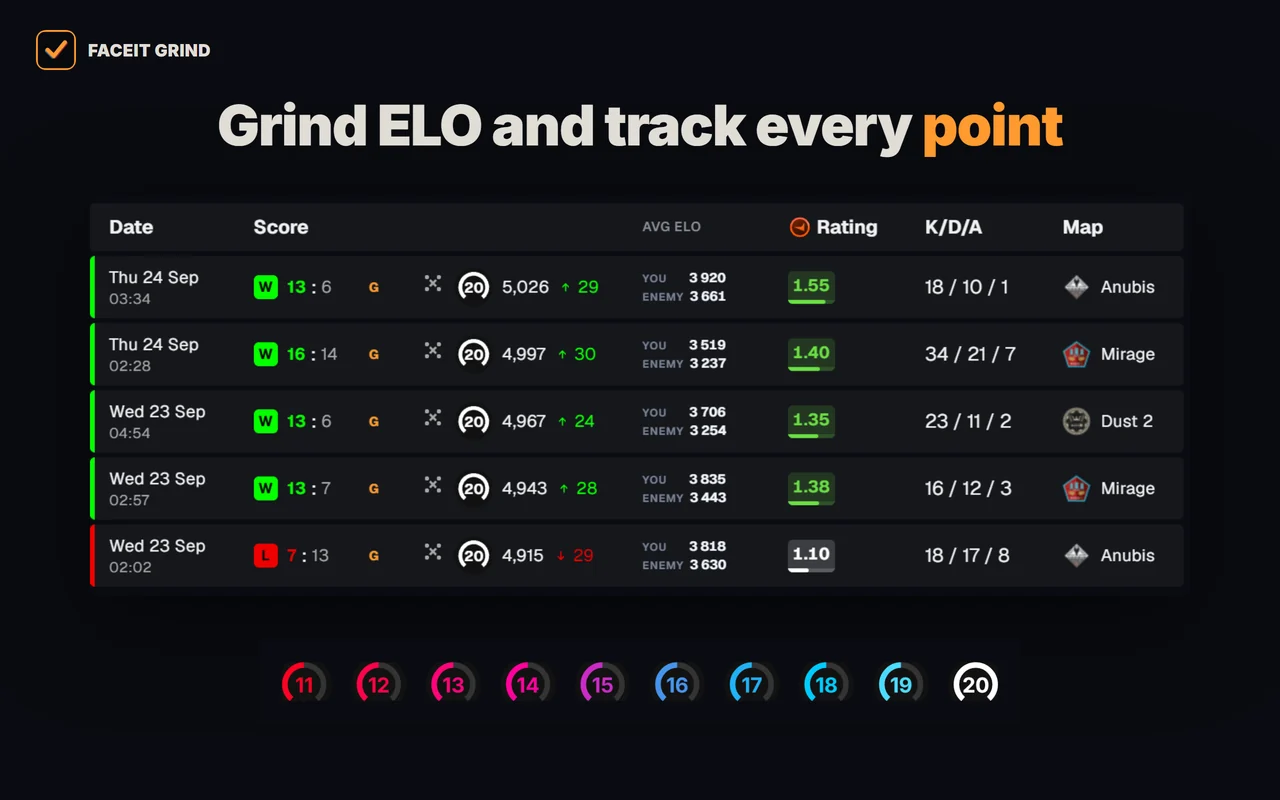
- Levels 11–20 — tell level 10s apart above 2,250 ELO — with GRIND metals or levels 11–20.
- Country flag by the nickname — see where each player is from right in the room roster.
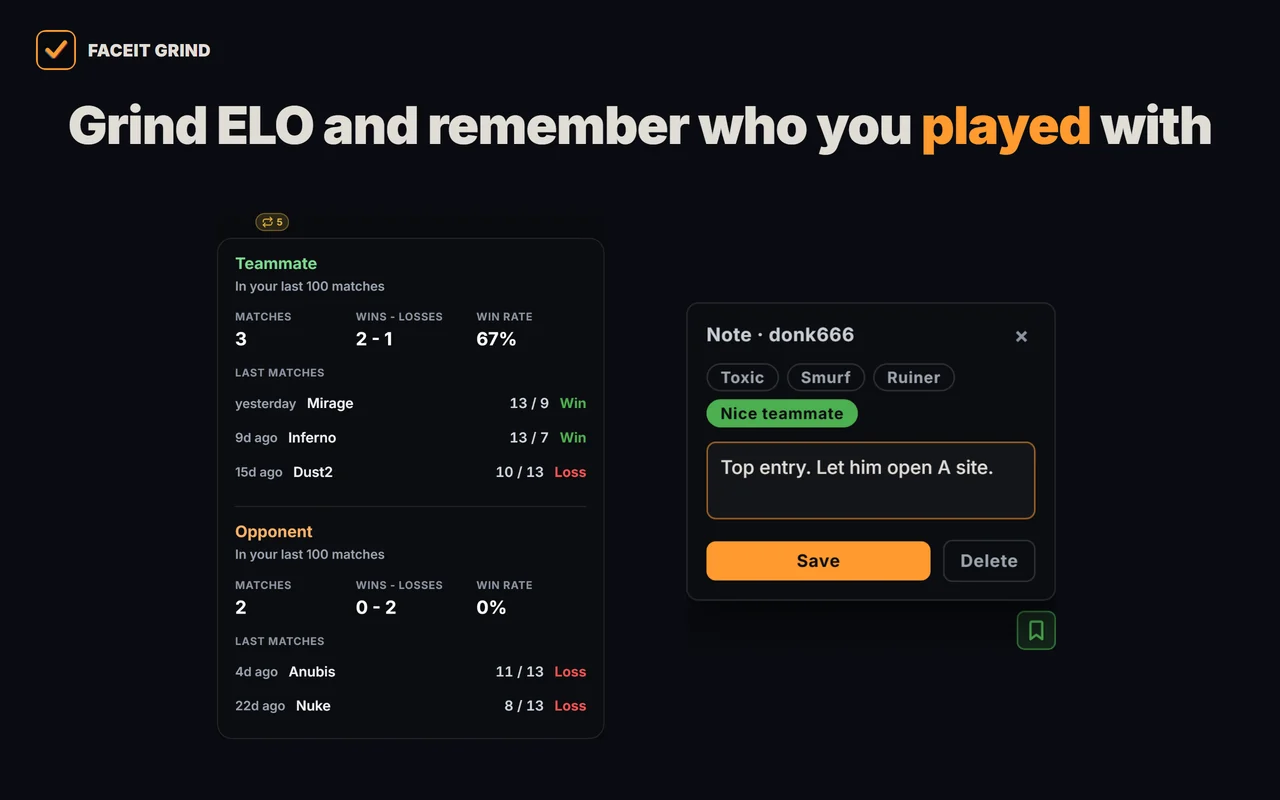
- Played together — who you have already met in your last 100 matches — as a teammate or an opponent — and the score.
- 1v1 Duel — compare two lobby players head to head: OVR, ELO, K/D, ADR, HS%, win rate, compare by any map and a quick Top vs Top pair.
- Player notes — tag a griefer or a great teammate — the note pops up next time you meet and stays on your device only.
- Invite friends — a button in the map panel copies the GRIND link with a ready message — send it to your teammates in one click.
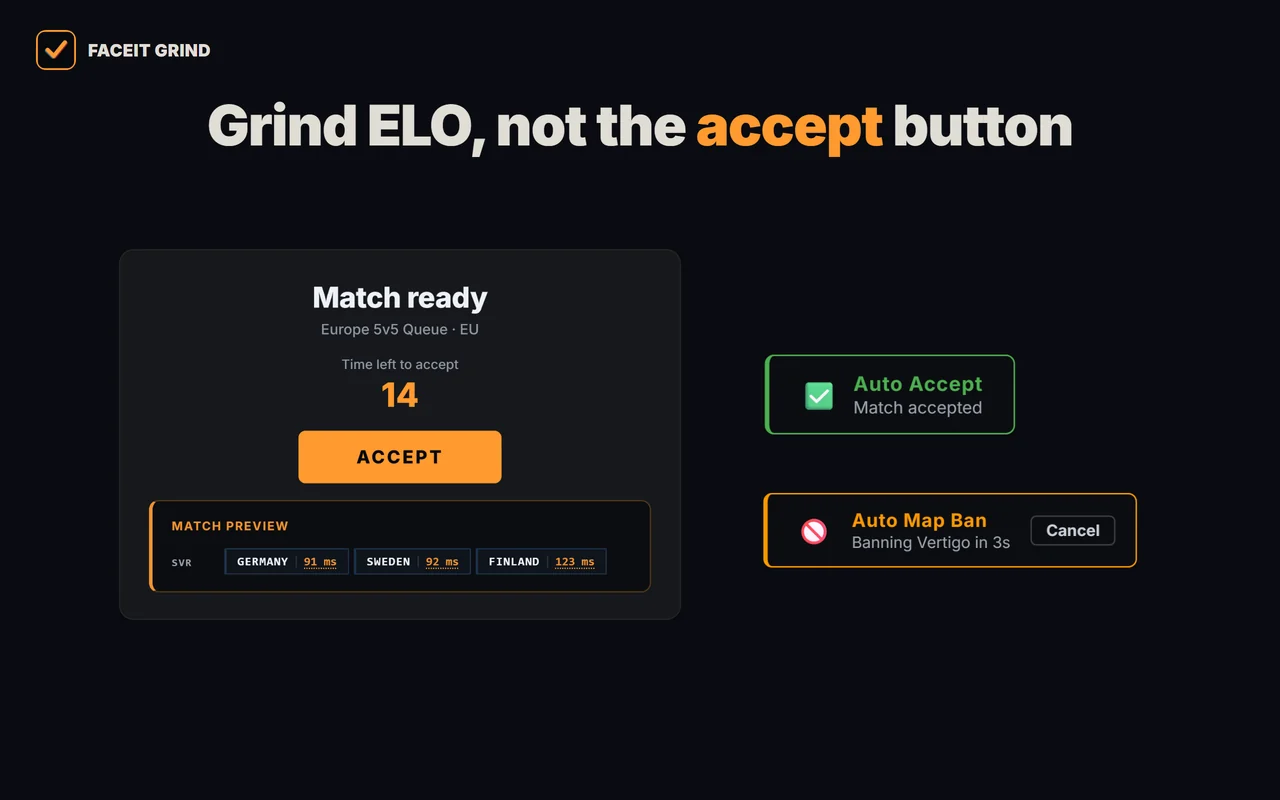
- Auto-accept match and invite — never miss a match while you are away: delay from 1 to 10 seconds, a countdown under ACCEPT and a Cancel button next to it.
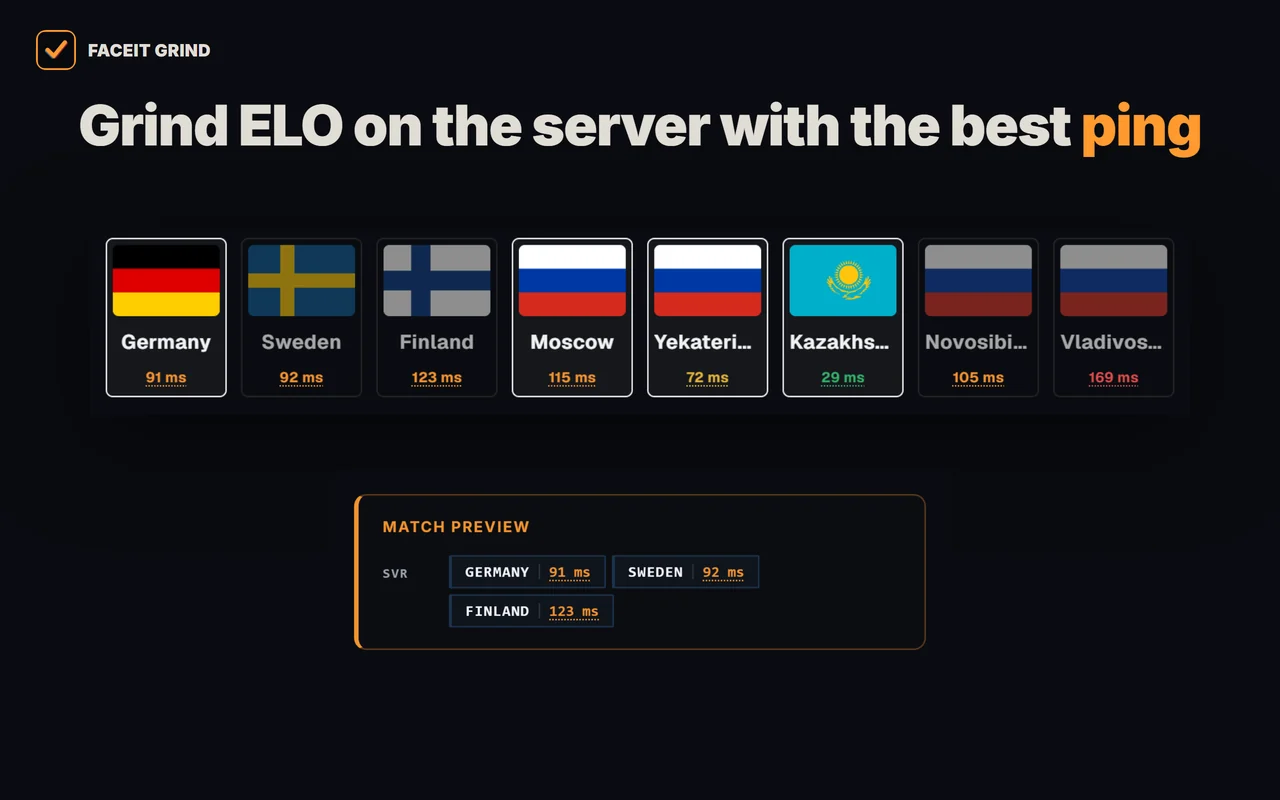
- Server and ping under ACCEPT — one panel under the ACCEPT button: the match servers, ping to them and the auto-accept countdown. Server ping is also on the server-picker page.
- Auto map ban — when you are captain, your least favourite map is banned for you — with a countdown and a cancel button.
- Auto position — your spot goes to team chat right after the veto, once per match; you set a spot for every map.
- Auto-copy connect — the moment the server is ready, the connect line is on your clipboard — paste it into the CS2 console.
- Match history — average ELO of both teams with one click on a row, 10/20/30-match markers and a scoreboard on hover.
- ELO in the right sidebar — your level, ELO and how far the next level is — in ELO and roughly in wins; hover for the progress bar, last match and streak.
- Your own card — ELO and progress to the next level in the corner of the page; click for the Session tab (matches and ±ELO this session) and the Form tab (recent matches and best map).
- Map & time — your best map, day and time to play — right in your ELO widget.
- Demo downloaded mark — download a demo in the match room and a mark with the time stays next to the FACEIT button, even after a reload.
- FACEIT Wallpapers — 7 ready-made backgrounds or your own image, with dim, blur and panel strength — the wallpaper shows in the match room too.
- FACEIT color — 9 colour options for frames, buttons, tabs and progress bars. Works without wallpapers too.
- Aura — a soft glow on buttons and frames in the colour you picked.
- Find FACEIT by Steam — a player's FACEIT profile right from their Steam page — even if the profile is private.



Extension disabled or won't install?
- GRIND is installed but missing on FACEIT. Reload the open page. If that does not help, open
browser://extensions, check that GRIND is enabled and allowed to access FACEIT, then reload the matchroom again. - The browser disabled the extension. Read the reason in extension management. Yandex checks add-ons and may disable unsafe or incompatible ones. Install GRIND from the official store; keep the browser’s protection enabled.
- The browser reports incompatibility. Check for Yandex Browser updates. If the restriction remains, use a supported browser or contact support rather than installing random .crx copies.
- Installation is blocked on a work computer. Administrator policies in Yandex Browser for organizations can block extensions. Ask your administrator for help.
Official instructions: extensions in Yandex Browser and add-on security checks. Looking for an extension with 20 levels? See the GRIND 11–20 scale and how to enable it.
FAQ
Do FACEIT extensions work in Yandex Browser?
You can install GRIND in desktop Yandex Browser from the Chrome Web Store. Yandex supports compatible add-ons from the Chrome and Opera catalogs; other extensions need to be checked individually.
How do I install a FACEIT extension in Yandex Browser?
Open the official FACEIT GRIND Chrome Web Store listing in Yandex Browser itself, click install, review the permissions and confirm. Then reload your open FACEIT page and wait for the data.
Is it safe to install FACEIT extensions in Yandex Browser?
Use the official Chrome Web Store listing and review the requested permissions. Being listed in a store does not guarantee every add-on is safe; avoid random copies and keep browser protection enabled.
Why did Yandex Browser disable my extension?
The browser checks add-ons and may disable unsafe, incompatible or unverified installations. Read the reason at browser://extensions. If GRIND is enabled but missing on FACEIT, check site access and reload the page.
What is the difference between Yandex Browser and Opera for extensions?
Both are Chromium-based. Yandex Browser's native "Extensions catalog" actually opens the Opera add-ons site, but it also installs from the Chrome Web Store — so the same FACEIT extensions work in both.
